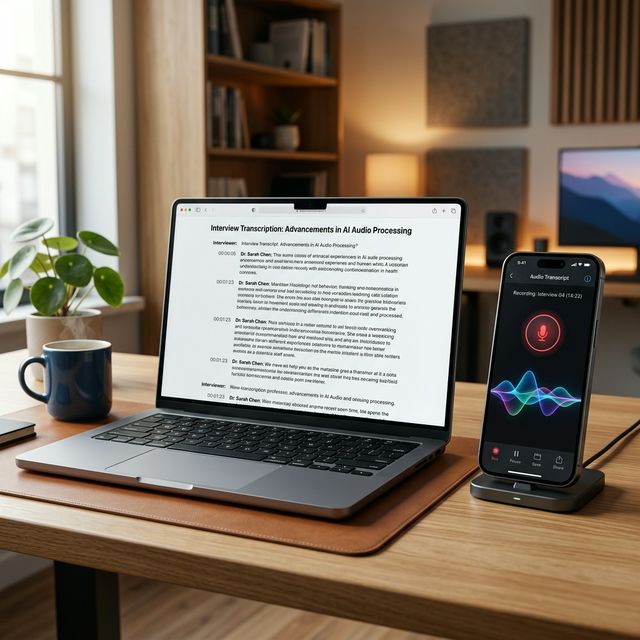
The Best Speech to Text App in 2026 — Tested on iPhone & Android
By Audio Transcript Team·March 21, 2026·5 apps reviewed·15 min read
We tested five of the most-used speech to text apps in 2026 across real-world conditions — voice notes on the go, 20-minute meetings, noisy streets, and imported audio files. Each app was evaluated on actual accuracy, features, limits, and honest value. No sponsored placements. Here is the full breakdown.
A speech to text app — also called a voice to text app or dictation app — converts your spoken words into written text automatically. You speak into your phone's microphone and the app transcribes what you say, either in real time or from a saved recording. No typing required.
Modern speech to text apps use AI-powered Automatic Speech Recognition (ASR). The best apps in 2026 handle different accents, moderate background noise, and 30–70+ languages with high accuracy. The average person speaks at 125–150 words per minute but types at roughly 40 words per minute on a smartphone — a good speech to text app effectively triples your output speed and frees both hands entirely.
Typical use cases include capturing voice notes on the go, transcribing meetings or lectures for later review, dictating emails and messages without typing, and creating searchable text records of spoken content.
How we tested
We evaluated each speech to text app across four scenarios: quiet indoor dictation, a noisy street environment, a 20-minute meeting recording, and importing a pre-recorded audio file. Tested on iPhone 15 (iOS 18) and a Pixel 8 (Android 15). Ratings reflect accuracy, real feature set, limits, and honest value.
Quick comparison: all 5 speech to text apps
App
Platform
Auto-transcribe
No limits
AI summary
Languages
Price
Rating
Audio TranscriptEditor's Pick
iOS + Android
✓
✓
Premium
38
Free
★ 4.8
Apple Dictation
iOS only
✓
✓
–
30+
Free
★ 4.4
Gboard Voice Typing
Android only
✓
✓
–
70+
Free
★ 4.3
Otter.ai
iOS + Android
✓
300 min*
✓
3 (free)
Freemium
★ 4.1
Dragon Anywhere
iOS + Android
✓
✓
–
EN only
$14.99/mo
★ 3.8
*Otter.ai free: 300 min/month total, max 30 min per conversation, 3 file imports per lifetime.
Short answer: For a free speech to text app with unlimited recordings, automatic transcription, and support for both iPhone and Android — Audio Transcript is the clear winner. Read the full reviews below for the complete picture on each app.
1
Audio Transcript — Best Speech to Text App Overall
Audio Transcript does exactly what most people actually need from a speech to text app — and it does it without monthly limits or subscription walls. Record a voice note, get a clean transcript automatically. That is the core loop, and it works consistently well across real-world conditions.
The app records audio directly on your iPhone or Android, then converts it to readable text using AI speech recognition. The transcript and the original recording are both saved, so you can play back the audio while reading along. A built-in editor lets you correct names, remove filler words, or adjust formatting before you copy or export. The free version gives you unlimited recordings and automatic transcription — no cap on how many voice notes you create. If you want a compact AI summary of longer recordings, that is available as an optional premium upgrade.
We tested Audio Transcript across 20+ recordings — a 22-minute meeting, voice notes with street traffic, and a 10-minute interview in a café. Accuracy was consistently strong. Proper nouns and multi-speaker content handled noticeably better than we expected at this price point. The interface is minimal and focused: one tap to record, one to stop, transcript ready in seconds. The app also added support for 38 languages in version 1.0.2 (January 2026) and variable playback speed so you can review recordings faster.
App screenshot placeholderReplace with: recording screen + transcript screen side by side (use your App Store screenshots)
Free to start · Upgrade anytime inside the app · Subscriptions via App Store / Google Play
2
Apple Dictation — Best Built-in for iPhone
Apple Dictation
iOS & macOS only · Free · System-wide keyboard tool
★ 4.4 / 5
Screenshot placeholderReplace with: iPhone keyboard showing microphone icon, or Dictation live waveform overlay
Apple Dictation is the speech to text feature built into every iPhone, iPad, and Mac. Tap the microphone icon on the keyboard and your words appear in any text field across any app — no download, no account, no setup. It uses on-device AI processing, so your audio stays on your device and works even without a strong connection.
For short dictation tasks — composing a message, searching quickly, drafting a short email — Apple Dictation is one of the most convenient tools available precisely because it is already there. Auto-punctuation works well. Over 30 languages are supported. Speed is excellent thanks to on-device processing. But Apple Dictation is fundamentally a keyboard tool, not a standalone speech to text app. It does not save recordings, cannot import existing audio files, generates no summaries, and keeps no transcript history. Once you stop speaking, the text is just wherever you typed it — the audio is gone.
System-wide — works in every app
On-device processing — private & fast
Auto-punctuation
30+ languages
No transcript saved or exported
No audio file import
What we like
Zero setup — already on every iPhone
Fast on-device processing, no internet needed
Works across all iOS and macOS apps
Auto-punctuation without voice commands
Strong privacy — audio stays on device
Worth knowing
iPhone and Mac only — no Android
No transcript saved, no history
No audio file import or export
Not suited for long-form transcription
Accuracy drops in noisy environments
3
Gboard — Best Built-in for Android
Gboard — Google Voice Typing
Android only · Free · Pre-installed on most Android phones
Gboard is Google's keyboard for Android, and its built-in voice typing is one of the most capable free speech to text tools available — because it comes pre-installed on most Android phones. Tap the microphone on the Gboard keyboard and your speech converts to text instantly in any app across the entire system.
Google's speech recognition engine powers Gboard. It supports over 70 languages, handles code-switching between languages mid-sentence, and adapts to your personal vocabulary over time. For quick dictation — composing a message, searching, writing a short email — Gboard is fast and reliable. Like Apple Dictation, it is a keyboard-level feature only. There is no transcript history, no recording saved, no audio import, and no summary. Once you stop speaking, the text is in the field and that is all you get.
Screenshot placeholderReplace with: Otter.ai live meeting transcription or speaker-separated transcript view
Otter.ai is the most well-known dedicated speech to text app, built specifically around team meeting transcription. It connects directly to Zoom, Microsoft Teams, and Google Meet — joining calls as a bot, transcribing live, and separating speakers so the transcript shows who said what. For teams with heavy meeting schedules who need a searchable, shareable transcript archive, Otter fills a clear gap.
The free plan comes with restrictions that many users discover mid-recording. You get 300 transcription minutes per month total, but individual conversations are capped at a hard 30-minute limit — meaning any meeting running over 30 minutes stops being transcribed partway through unless you are on a paid plan. File imports are limited to 3 per lifetime on the free account. Language support on the free tier covers only English, French, and Spanish. The Pro plan runs $8.33/month billed annually ($16.99/month billed monthly). AI-generated meeting summaries and action items are included on Pro.
Zoom, Teams & Meet integration
Speaker identification (who said what)
AI meeting summaries & action items
Searchable transcript archive
Free: 30-min hard cap per conversation
Free: only 3 file imports — ever
What we like
Zoom, Teams & Meet auto-join
Speaker identification across participants
AI summaries and action item extraction
Searchable, shareable transcript library
Team workspace collaboration
Worth knowing
Free: 30-min hard cap per conversation
Free: only 3 file imports — lifetime
Free: English, French, Spanish only
Pro: $8.33/mo (annual) or $16.99/mo
Accuracy drops with background noise
Expensive overkill for solo or casual use
5
Dragon Anywhere — Best for Professional Dictation
Dragon Anywhere
iOS & Android · $14.99/month or $149.99/year · English only
Dragon Anywhere is Nuance's mobile-only dictation app — a separate product from Dragon Professional for desktop. It is cloud-based, requires a subscription at $14.99/month (or $149.99/year), and supports unlimited dictation on iOS and Android. The core advantage over general speech to text apps is custom vocabulary: you can build and train it on domain-specific terms — medical diagnoses, legal citations, technical product names — and it remembers them indefinitely across sessions.
Voice formatting commands in Dragon Anywhere are unusually powerful. You can select text, apply bold, correct specific words, move the cursor, and format documents entirely by voice — without touching the screen. For professionals who dictate long structured documents daily, this level of voice control is still hard to match. The app also supports Dropbox and Evernote export directly.
In 2026, Dragon Anywhere is showing its limits. Microsoft acquired Nuance in 2022 and development has slowed significantly — the app receives minimal updates and no meaningful new features. It supports English only, with no multilingual capability. General transcription accuracy (95–97%) is now matched or exceeded by free AI-powered apps without any training required. At $14.99/month for English-only, largely unmaintained mobile dictation, the value has weakened considerably. It still earns its place for highly specialised professional use cases, but the gap to free alternatives has narrowed dramatically.
Unlimited dictation, no session limits
Trainable custom vocabulary
Advanced voice formatting commands
Dropbox and Evernote export
English only — no other languages
$14.99/month subscription
What we like
Unlimited dictation with no session caps
Trainable custom vocabulary for specialist terms
Powerful voice formatting and editing commands
Reliable accuracy for prepared English speakers
Worth knowing
English only — no multilingual support
$14.99/month (or $149.99/year)
Minimal updates since Microsoft acquisition
Does not sync with Dragon desktop app
No AI summary features
Free alternatives now match general accuracy
Which speech to text app is right for you?
The right speech to text app depends entirely on your actual use case. Use this guide to find your match quickly:
Your need
Free unlimited voice notes that transcribe automatically
→ Audio Transcript — no cap, auto-transcription, free on iOS & Android.
Your need
Quick in-keyboard dictation on iPhone
→ Apple Dictation — already on your phone, zero setup required.
Your need
Quick in-keyboard dictation on Android
→ Gboard Voice Typing — built in, 70+ languages, no download.
→ Dragon Anywhere — expensive, English-only, but custom training is unmatched.
Your need
AI summary of your voice recording
→ Audio Transcript Premium — upgrade inside the app, no third-party tool needed.
How accurate are speech to text apps in 2026?
Accuracy comparison graphicReplace with: bar chart comparing word error rates, or side-by-side transcript accuracy example
Speech to text accuracy has improved dramatically. The best AI-powered apps in 2026 reach 95–98% word accuracy in quiet, clear conditions — a level that required expensive professional transcription software just a few years ago. Even in moderate background noise, most apps maintain 88–93% accuracy.
Several factors affect how accurate any speech to text app will be for you:
Background noise is the biggest factor. Moving to a quieter environment improves accuracy more than any software setting.
Accent and dialect — AI models trained on diverse speech data, like Audio Transcript's 38-language model, handle a broader range of accents than English-only tools.
Specialist vocabulary — general AI models may misrecognise domain-specific terms. Dragon Anywhere specifically addresses this with trainable custom vocabulary.
Speech pace and clarity — clear, natural-pace speech outperforms rushed input across every app.
Number of speakers — single-speaker recordings are significantly more accurate than multi-speaker audio. Speaker diarisation (separating voices) adds complexity and can reduce individual accuracy.
6 tips to get the best accuracy from any speech to text app
1
Speak at your natural pace. AI models are trained on natural conversational speech. Slowing down artificially or over-enunciating can actually hurt accuracy. Speak normally and let the model work.
2
Minimise background noise. This is the single highest-impact change you can make. Even a modest reduction in ambient noise dramatically improves recognition quality across every app on this list.
3
Hold your phone 15–30 cm from your mouth. Too close causes distortion on the microphone capsule. Too far reduces pickup. The natural position of holding the phone at chest height while speaking is close to optimal for most devices.
4
Speak in complete sentences. Sentence context helps the AI choose between homophones and assign correct punctuation. Single fragmented words or phrases remove that context and reduce accuracy noticeably.
5
Use the editor after recording. No speech to text app is 100% accurate. A quick edit pass — fixing proper names, correcting mishearings — takes a fraction of the time manual transcription would and produces a clean, usable result.
6
Choose a dedicated app for substantial transcription. Apple Dictation and Gboard are excellent for quick in-keyboard sentences. For voice notes you want to save, meetings you want to reference, or audio you want to export — a dedicated speech to text app like Audio Transcript is built for that and gives you far more control.
Frequently asked questions
Audio Transcript is the top-rated speech to text app for iPhone in 2026. It automatically transcribes every recording, supports 38 languages, includes a built-in editor, and allows unlimited voice note creation — all free on the App Store. For quick in-keyboard dictation without a separate app, Apple Dictation is built into every iPhone and covers basic needs with no setup.
Audio Transcript is the best free dedicated speech to text app for Android. It records audio, transcribes it automatically, and lets you copy or share the transcript — with no monthly minute cap. Available free on Google Play. For quick in-keyboard dictation, Gboard's voice typing is built into most Android phones and covers basic needs without any extra download.
Yes. Audio Transcript allows unlimited voice note recording and transcription — no monthly minute cap and no per-session limit. You can create as many recordings as you want. Apple Dictation and Gboard also have no recording limits. Otter.ai's free tier caps you at 300 minutes/month with a hard 30-minute limit per conversation. Dragon Anywhere is unlimited but costs $14.99/month.
The best speech to text apps reach 95–98% word accuracy in quiet conditions in 2026. In moderate background noise, expect 88–93%. Accuracy depends most on background noise, speaking clarity, and whether the app is trained for your accent or language. Audio Transcript's 38-language model is trained on a broad range of speech data.
Audio Transcript can transcribe audio recordings stored on your device, in addition to recordings made directly in the app. Apple Dictation and Gboard are live-only tools — they cannot import existing audio files. Otter.ai supports file import on paid plans; the free tier allows only 3 lifetime file imports.
Otter.ai has a free tier, but with significant restrictions. You get 300 transcription minutes per month total, a hard 30-minute cap per individual conversation (any meeting over 30 minutes stops mid-way on the free plan), and only 3 file imports allowed for the lifetime of your free account. Free tier supports only English, French, and Spanish. Pro plans start at $8.33/month billed annually or $16.99 billed monthly.
Audio Transcript supports 38 languages for transcription, added in version 1.0.2 in January 2026. The app is available globally on both the App Store and Google Play.
Speech to text and voice to text mean exactly the same thing — technology that converts spoken audio into written text automatically. The two terms are fully interchangeable. Some apps also refer to this as dictation software, voice transcription, or automatic speech recognition (ASR).
Try the best speech to text app — free.
Audio Transcript is available now on iPhone and Android. Record a voice note, get a clean transcript in seconds. Upgrade anytime for AI summaries.